Create
Design Your Spaceship: Interactive Rocket Design Exhibit
An interactive rocket design exhibit that turns choices into a visible flight.
Discuss this exhibit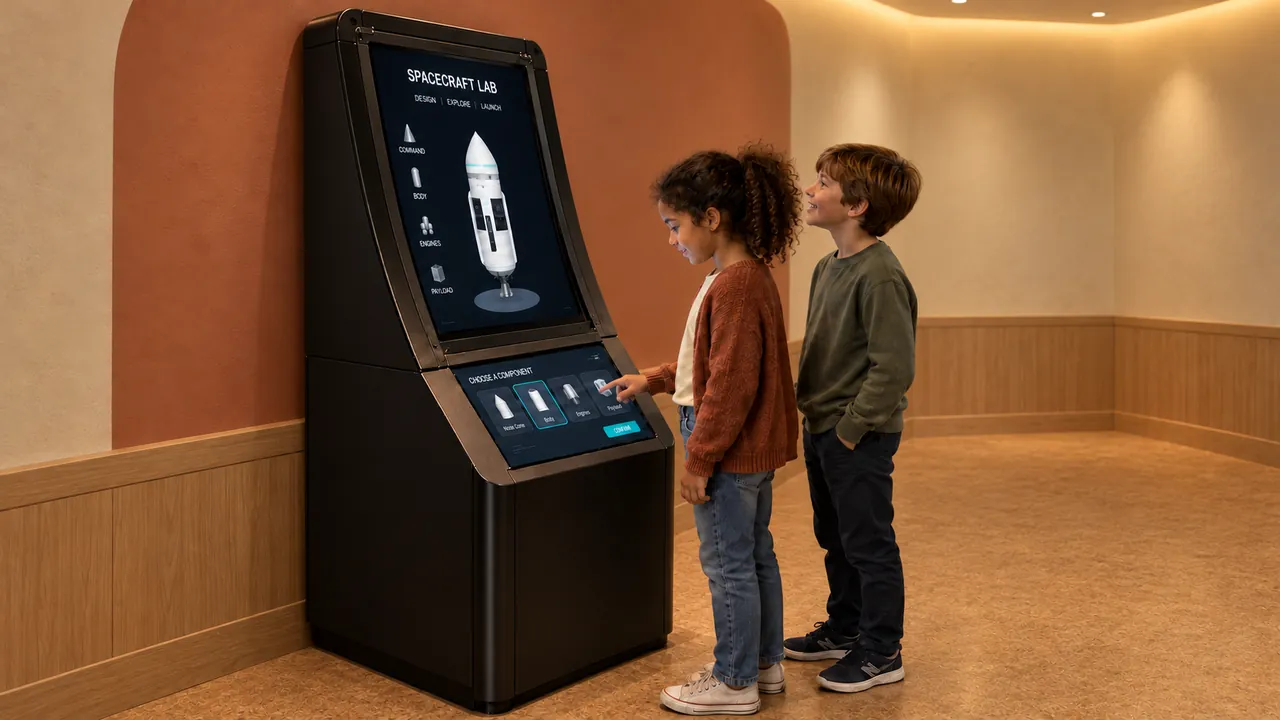
Overview
Design Your Spaceship lets visitors make spacecraft choices and see the result on an accompanying display. The lower touchscreen provides the controls; the upper screen presents the vehicle, its flight and the unfolding mission.
A short test makes the design process tangible by reporting height reached and fuel used. Visitors can compare a result, revisit a choice and try again before following the spacecraft into a larger mission sequence.
Design Your Spaceship · YouTube
See the interaction.
Watch the exhibit in action.
YouTube loads only when you press play.YouTube ↗
Gallery
A closer look.
The Visitor Experience
- Choose a spacecraft body and make the available design selections on the touchscreen.
- Run the short flight test and review the result.
- Adjust the design or continue into the launch sequence.
- Follow the mission on the upper display, including the rover scene demonstrated in the preview.
What Visitors Discover
Visitors explore the relationship between a design choice and an observed result. Comparing height and fuel use introduces an engineering question: what changes when the vehicle changes? The mission sequence then connects spacecraft design with launch, separation and exploration beyond the landing site.
Explore the Content
- Spacecraft selection: the preview presents four body choices with differing capacities and flight behavior.
- Flight testing: a short test reports height reached and fuel used.
- Mission sequence: launch and spacecraft separation lead into a rover exploration scene.
Key Features
- A lower control touchscreen paired with an upper mission display.
- Selectable spacecraft bodies.
- A repeatable design-and-test sequence with visible results.
- Animated launch and rover content.
Specifications
| Dimensions | 880 × 1250 × 1750 mm |
|---|---|
| Power requirement | 1 kW |
| Display | 32-inch curved display and 21-inch touchscreen |
| Simultaneous users | 1 |
| Supply scope | Exhibit PC, displays and cabinet |
| Standard software languages | English / Spanish / Arabic |
| Additional languages | Available on request |
| Customization | Dimensions, materials and appearance can be customized |
| Standard warranty | 1 year |
Specifications describe the configuration listed here. Contact us for the complete equipment schedule and installation drawing for your project.
Who It’s For and Where It Fits
A fit for space galleries, science museums and engineering-focused discovery centers. One visitor can make selections while companions watch the mission screen and discuss the result. It offers a focused design activity within a wider astronomy or exploration gallery.
Exhibit Configurations and Customization
We combine a 32-inch curved display and a 21-inch touchscreen in a freestanding cabinet. The standard exhibit measures 880 × 1250 × 1750 mm and supports one user at a time. We customize cabinet colors and materials on request, with dimensions and appearance adapted to the project.
Space and Installation Requirements
- Provide a comfortable operating position at the lower screen and clear sightlines to the upper display.
- Allow circulation beside the cabinet and access behind or within it for servicing.
- Plan power, secure installation, ventilation and concealed signal connections between the displays and computer. Networking and exact electrical requirements depend on the selected system.
What’s Included
Our Design Your Spaceship experience brings together spacecraft design and mission software, touch controls and an accompanying display. We supply the exhibit PC, both displays and the cabinet. Your project proposal sets out the final configuration, installation and training scope, and any ongoing services. Every exhibit includes a one-year standard warranty.
Application Examples
- Science museums: give visitors a design question they can investigate through repeated tests.
- Space galleries: connect spacecraft choices with a visible launch and exploration sequence.
- Family discovery centers: offer a shared viewing experience around a single set of controls.
Frequently Asked Questions
What does the flight test show?
The demonstrated test reports height reached and fuel used, giving visitors a result to compare after changing their design.
Is it a piloting simulator?
The core interaction is spacecraft design and testing, followed by a displayed mission sequence.
Are both screens used?
Yes. The lower touchscreen carries the controls and the upper screen presents the spacecraft and mission.
Can it reuse our existing screens?
That requires a compatibility assessment covering display format, touch input, graphics performance and the cabinet arrangement. The pictured configuration should not be treated as a universal fit.
Related Interactive Exhibits
- AR Mars Colony: Extend spacecraft design into planning a settlement on Mars.
- How Big Is Universe: Put a space mission in context through comparisons of scale.
- Digital Telescope: Add simulated astronomical viewing to the same gallery.
Plan Your Exhibit
Share your space-gallery plan to discuss the display configuration and design-and-test experience.
Discuss this exhibitKeep exploring.
All interactives
Discover
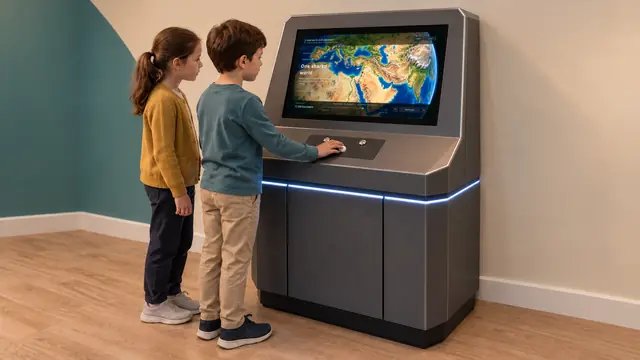
How Big Is Universe
A scale of the universe exhibit that connects the very small with the very large.