This guide describes a possible application within an amusement center, not an installed client project. It explores an indoor interactive zone alongside other attractions, without claiming a particular revenue result, visitor capacity or operating return.
Give the digital zone a distinct role
An amusement center may already contain rides, redemption games, play structures or event spaces. A digital exhibit should add a recognizable activity to that mix. Decide whether the new zone is intended for active play, shared creativity or a themed discovery experience before selecting hardware.
A useful arrangement lets passing families understand the action and see where to join. It also gives spectators somewhere to stand without blocking the main route. Consider the exhibit's actual play space, waiting space and maintenance access together; a screen's dimensions alone do not define its footprint.
Create a visible making experience
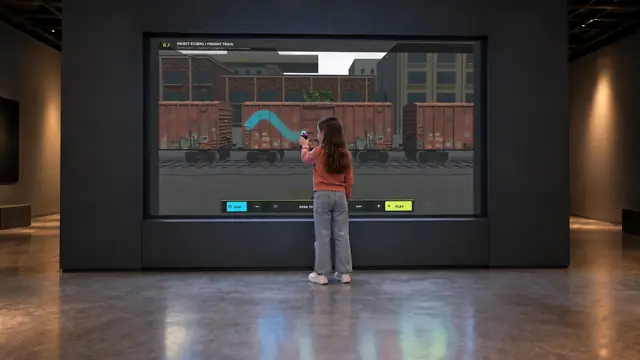
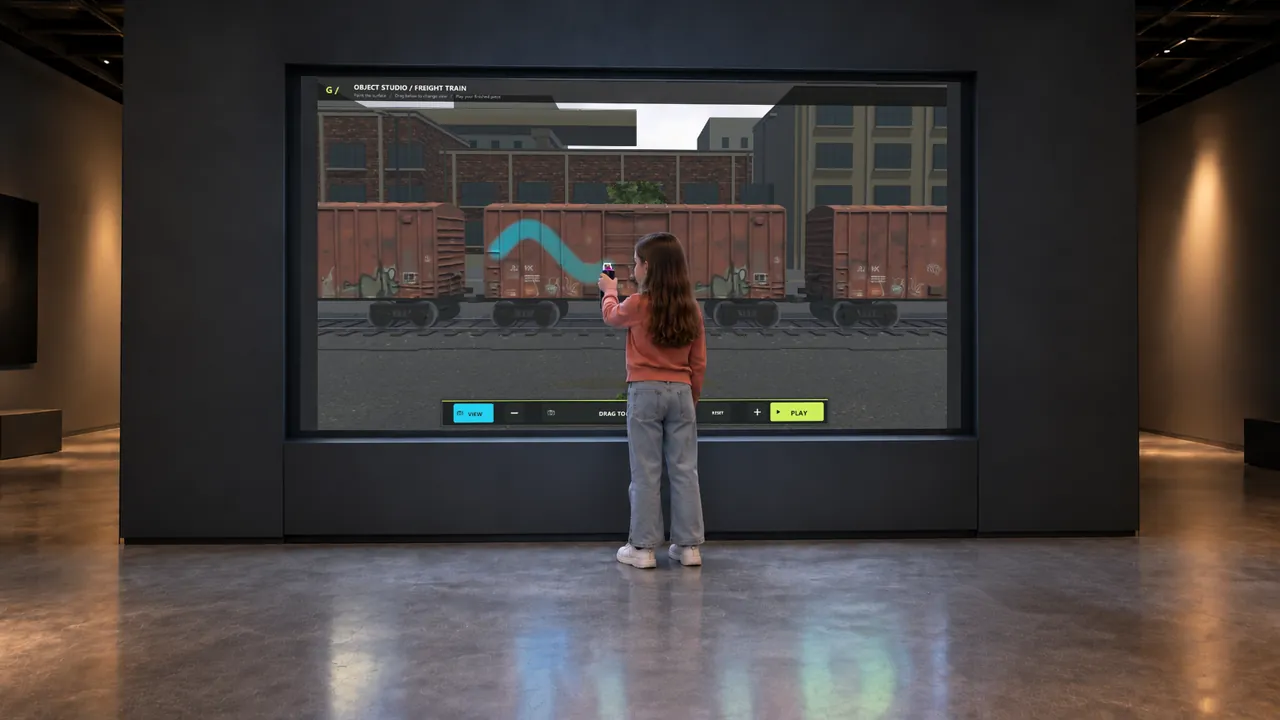
Digital Graffiti can anchor a creative zone. Visitors point digital spray controllers at a large display, choose colors and build an artwork. The demonstrated scenes include a wall, street car and train, giving the venue several visual directions to review.
The attraction is the changing artwork and the visitor's control over it. Let companions view the display from outside the painting position, and provide a clear place to return the controllers. Charging, controller quantities, tracking coverage and any save or export behavior must be confirmed in the equipment and software scope.
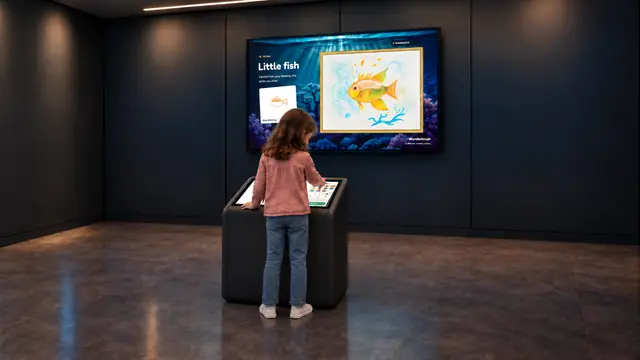
AI Painter offers another creative sequence. A visitor sketches on the kiosk while a separate large screen shows generated artwork. The available examples include ocean, animal, garden and space subjects. The kiosk and viewing screen should be positioned so the participant and companions can follow the transformation without standing in a through-route.
Add physical activity where there is room for it
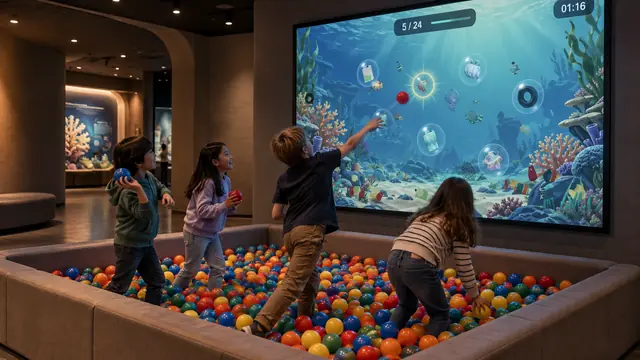
Ball Wall brings throwing and projected responses into an active area. Its demonstrated games vary from underwater cleanup to mechanisms and shared color-making. Select the content that suits the surrounding zone, then plan ball containment, throw positions and spectator circulation as part of the installation.
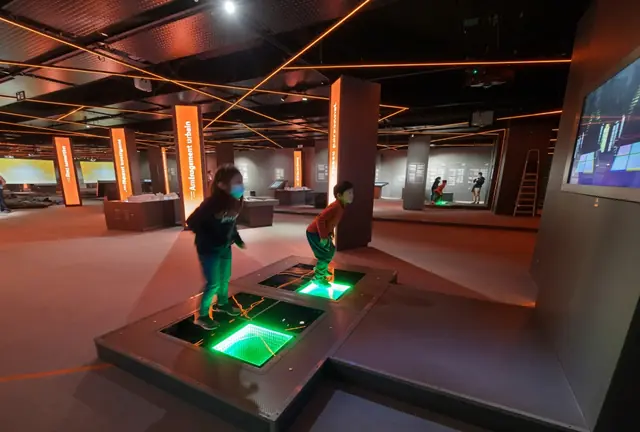
Dance Floor can introduce movement with lights and music. It uses illuminated stepping platforms; it is not an electricity-generating floor. Review access surfaces, platform transitions, permitted occupancy and neighboring sound before adding it to a busy attraction mix.
Use the setting to connect the experiences
A coherent environment can connect a graffiti studio and an AI drawing station without making their interactions identical. Choose lighting and finishes that support screen readability, then use simple signs to explain each starting action. Preserve the software's actual interface and describe the experience visitors will receive.
The supplied configurations should be treated as indoor exhibit proposals. An outdoor or exposed location requires a separate equipment and environmental assessment; weather resistance is not established by the existing visuals. Likewise, connection to ticketing, venue apps or payment systems must be agreed rather than assumed.
Prepare for opening and changeover
Test the complete visitor sequence with the operating team: arrival, participation, departure and preparation for the next group. Confirm software licensing, staff controls, controller care, cleaning and service access. For AI Painter, review processing, network dependency and data handling for the proposed version.
Share your attraction mix, intended location and operational priorities through Contact. A focused proposal can then define the role of each exhibit and the space needed to make the whole zone work.